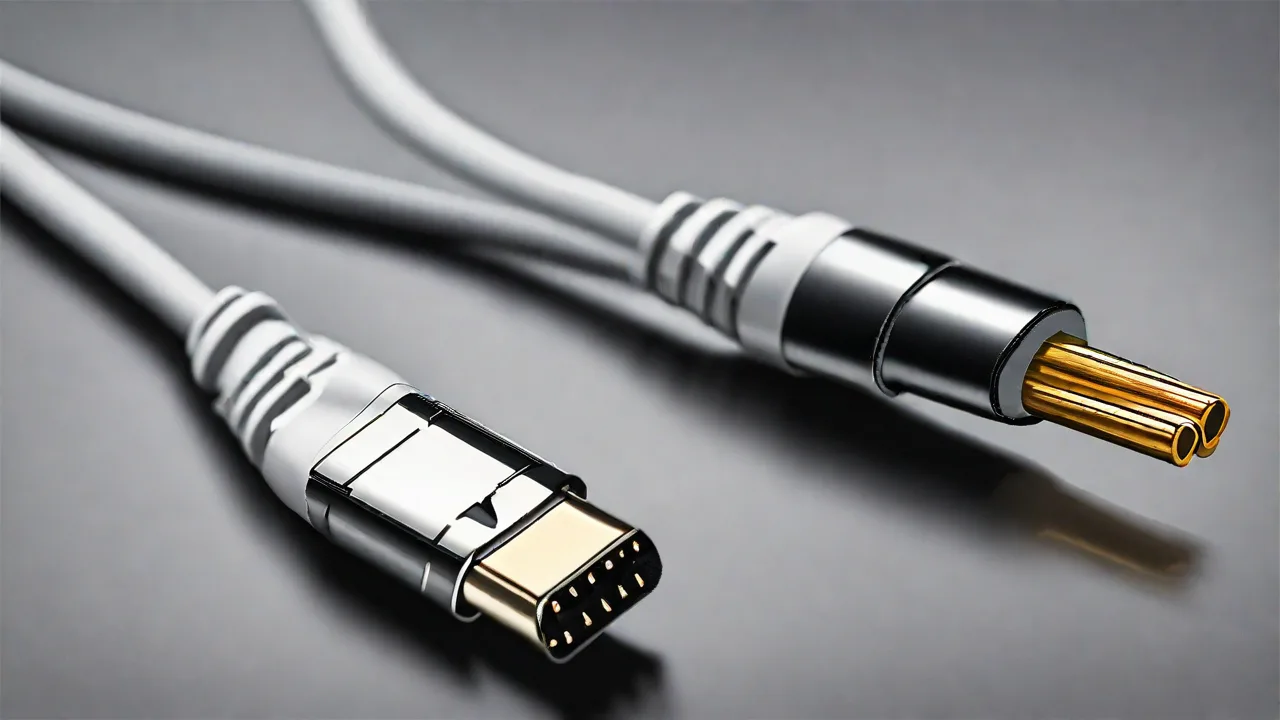
The Role of Ts Cables in Dj Equipment and Live Sound Reinforcement
Why Cables Matter in DJ and Live Sound Systems
In professional audio environments—from the DJ booth at a nightclub to the stage of a major festival—every connection in the signal chain affects the final sound. While speakers, mixers, and amplifiers often steal the spotlight, the cables that carry audio signals are equally critical. Among the most common yet misunderstood cable types is the TS (Tip-Sleeve) cable. Though often dismissed as a basic utility, understanding its strengths, limitations, and proper applications can dramatically improve reliability and audio quality in both DJ setups and live sound reinforcement systems.
TS cables are unbalanced, mono cables that excel in short-distance, high-impedance applications. They are the default choice for connecting electric guitars, basses, and many DJ components, but they are not ideal for every scenario. This article provides an in-depth examination of TS cables, their specific roles in DJ equipment and live sound, and best practices for using them effectively to avoid noise, signal degradation, and equipment damage.
What Are TS Cables? Anatomy and Signal Characteristics
A TS cable is an unbalanced audio cable with a two-conductor connector: the tip carries the positive audio signal, and the sleeve serves as both the ground and the signal return path. This simple two-terminal design makes TS cables inexpensive and easy to manufacture, but it also means they lack the noise-rejection capabilities of balanced cables. Understanding the physical and electrical properties of TS cables helps you decide when to use them and when to choose a different interconnect.
Unbalanced vs. Balanced Audio
In an unbalanced connection, the single signal wire is susceptible to electromagnetic interference (EMI) and radio frequency interference (RFI). The surrounding ground wire acts as a shield, but any interference induced into the signal conductor is passed directly through to the amplifier or mixer without cancellation. Balanced cables (TRS or XLR) use a third conductor—a “cold” or inverted copy of the signal—to cancel interference via common-mode rejection. Because TS cables lack this cancellation, they are best suited for short cable runs (typically under 20 feet) and high-impedance sources that are less sensitive to noise pickup. For example, a guitar pickup’s high output impedance naturally attenuates interference over short distances, whereas a low-impedance microphone signal traveling 50 feet on a TS cable would pick up audible hum and buzz.
Common Connectors and Cable Construction
TS connectors are most often found as 1/4-inch phone plugs, but they also appear in 3.5 mm (1/8-inch) sizes and, less commonly, in RCA-style jacks. The cable itself typically comprises a central conductor (often stranded copper) surrounded by a braided or foil shield, with an outer PVC or rubber jacket. Quality TS cables use oxygen-free copper (OFC) conductors to reduce oxidation over time and heavy-duty shielding to minimize handling noise and interference. Connectors with nickel or gold plating resist corrosion and ensure a secure, low-resistance connection over years of use. The gauge of the inner conductor matters: 20 AWG or 22 AWG is common, but thicker wire (lower AWG) offers less resistance and is preferable for longer runs or high-current signals.
The Role of TS Cables in DJ Equipment
In a DJ setup, TS cables handle several critical connections, especially in analog signal paths. Understanding where TS cables excel—and where they fall short—helps DJs maintain a clean, reliable sound even in noisy club environments with multiple power sources and wireless transmitters.
Connecting Turntables and CDJs to Mixers
Many DJ mixers have RCA inputs for line-level sources, but some older or professional mixers also accept 1/4-inch TS inputs for unbalanced signals. More importantly, phono-level signals from turntables with moving magnet (MM) cartridges require a preamp stage with proper RIAA equalization and high gain—this is typically built into the mixer’s phono input. TS cables are the standard link between turntable and mixer, but they must be of sufficient quality to avoid picking up hum from nearby power cables or LED lighting dimmers. For best results, keep TS cables away from power cords and use the shortest possible length—3 to 6 feet is ideal. If longer runs are unavoidable, consider using a balanced line driver or active DI box to convert to balanced XLR before extending the distance.
Microphone Connections
While most professional microphones use balanced XLR cables, some dynamic microphones (like the Shure SM58) can be adapted to TS via a 1/4-inch plug for basic use. However, this results in an unbalanced signal, making the signal far more prone to noise. In a DJ setup, this is rarely optimal because mic signals are low-level and benefit from balanced transmission. If you must use a TS cable for a microphone, keep the cable very short (under 10 feet), ensure the mixer’s input impedance is set appropriately (often marked "high" or "line"), and use a well-shielded cable. For critical vocal applications, always use XLR with a balanced output.
Stage Monitors and Line-Level Inputs
Some DJ mixers have 1/4-inch TS outputs for sending signals to powered monitors or external processors. These are line-level, unbalanced signals. While acceptable for runs under 15 feet, balanced TRS or XLR connections are strongly preferred for longer distances to maintain signal integrity. DJs using TS cables for monitor feeds should invest in cables with heavy braided shielding and avoid routing them parallel to power cables. When connecting a balanced output (e.g., from a mixer’s XLR) to a TS input on a monitor, use a TRS-to-TS adapter or cable to preserve balanced transmission as much as possible—the balanced signal will be converted to unbalanced at the monitor’s input, but the run remains balanced until that point.
Instrument Inputs for DJ Performers
Many DJs now incorporate live instruments such as electric guitars, synthesizers, or drum machines. These typically output an unbalanced TS signal. Connecting them directly to a mixer’s line input via TS is standard, but using a direct box (DI) can convert the signal to balanced low-impedance, reducing noise and allowing longer cable runs. For guitarists who also DJ, a TS cable from guitar to a DI box is often the cleanest solution, especially when feeding a house sound system that may be 50 feet away. Passive DI boxes are simple and require no power; active DI boxes offer additional gain and ground-lift options to combat hum.
TS Cables in Live Sound Reinforcement
In live sound environments, TS cables are most commonly used as instrument cables for guitarists, bassists, and other high-impedance sources. Sound engineers rely on them for many backline connections, but they must be aware of their limitations in demanding multi-stage setups with extensive power cabling and radio frequency interference.
Instrument Connections on Stage
Electric guitars and basses produce a high-impedance, unbalanced signal that is best carried by a quality TS cable. The signal is relatively strong and not as susceptible to noise as a low-impedance mic signal, but it can still pick up interference from lighting dimmers, power supplies, and wireless transmitters. Using a shielded TS cable with a length of 10–20 feet is typical. For longer runs beyond 25 feet, a DI box or a buffer pedal (such as a Boss TU-3 tuner with a buffered output) is recommended to maintain high-frequency response and prevent signal degradation. Many guitarists use coiled TS cables to keep lengths short while allowing movement on stage.
Patch Bays and Effects Loops
Many live sound consoles and rack processors use TS connections for patch bays, inserts, and effects sends/returns. While balanced TRS is common on modern gear, older or budget equipment may use TS for insert cables (often with tip-send and ring-return on a single TRS plug). Engineers must be careful to match plug types: using a TS plug in a TRS jack can cause a ground loop or short, or simply result in an unbalanced connection. Color-coded patch cables and clear labeling help avoid confusion during quick setup changes. When using insert cables, verify whether the console uses tip-send or tip-return convention to avoid phase issues.
DI Boxes and Signal Conversion
When a TS instrument cable must travel more than 20 feet to reach the front-of-house console, a direct injection (DI) box is essential. The DI box takes the unbalanced TS signal, converts it to a balanced low-impedance XLR signal, which can then travel hundreds of feet without noise induction. Many live sound engineers keep several passive DI boxes with TS input jacks for just this purpose. Active DI boxes provide additional gain and often include a ground-lift switch to break ground loops. For synthesizers or keyboards with stereo outputs, a stereo DI (two-channel) with TS inputs is ideal. When using a DI box, always use a short, high-quality TS cable from the instrument to the DI, then a long XLR cable from DI to the mixer.
Monitors and Wedge Connections
Powered stage monitors sometimes accept a TS input, especially compact models designed for personal monitoring. However, sending a balanced signal over a TS cable will cause the signal to be phase-canceled if the source is balanced. Always use the cable type that matches the output: if the console output is balanced TRS or XLR, use a TRS or XLR cable—even if the monitor’s input is only TS, it is better to use a TRS-to-TS cable or a TRS-to-XLR adapter rather than a standard TS cable. This preserves the balanced benefits up to the monitor’s input stage, where the TS jack automatically sums the balanced signal to unbalanced. Running a full TS cable from a balanced output will effectively short the cold conductor to ground, producing a 6 dB signal loss and increased noise.
Common Mistakes with TS Cables in Professional Audio
Even experienced sound engineers fall into several pitfalls when using TS cables. Recognizing these mistakes can save time during setup and prevent embarrassing hum or dropouts during a performance.
Using TS Where Balanced TRS Is Needed
One of the most frequent errors is plugging a TS cable into a TRS jack on a mixer or interface. This can create a short between the ring and sleeve, potentially causing a ground loop or phase cancellation. If the device expects a balanced signal, using a TS cable will result in an unbalanced connection with increased noise and reduced signal level. Always check the output and input types before patching.
Running TS Cables in Parallel with Power
Because TS cables have no noise cancellation, running them parallel to power cables for more than a few inches can induce audible 50/60 Hz hum. This is especially problematic in DJ booths with dense cabling. When possible, cross power cables at 90-degree angles and keep TS cables at least 12 inches away from power sources. Using spiral-wrap or braided cable ties can help separate runs.
Over-Long Instrument Cables
Using a 30-foot TS cable for a guitar on a small stage is a recipe for high-frequency roll-off and noise. The capacitance of long cables interacts with the guitar’s pickups, cutting treble and making the sound dull. A 20-foot cable has roughly 300–400 pF of capacitance, which combined with a 250K ohm pickup can roll off highs above 10 kHz. Use the shortest cable required and consider active buffers for longer runs.
Ignoring Connector Quality
Cheap molded TS plugs can crack, short, or break internally. The thin metal barrel can bend, causing intermittent contact. Always inspect connectors before each show and replace any that show signs of wear. High-quality connectors like Neutrik, Rean, or Switchcraft have robust strain relief and solid metal barrels that withstand repeated plugging and unplugging.
How to Identify Quality TS Cables
Not all TS cables are equal. Knowing what to look for helps you invest wisely and avoid failures during gigs.
Shielding Type and Coverage
Spiral or braided shielding offers better coverage (up to 95%) and flexibility compared to foil shielding. For stage use where cables are constantly moved, braided shielding is more durable. Foil is adequate for fixed installations but can crack after repeated flexing, leading to increased noise over time. Some high-end cables combine both foil and braid for maximum rejection.
Conductor Gauge and Material
Thicker conductors (lower AWG, e.g., 20 AWG) have lower resistance and better signal transfer over distance. Oxygen-free copper (OFC) reduces corrosion and maintains consistent conductivity. Many premium TS cables use multiple stranded conductors for flexibility; avoid solid-core cables in portable stage setups as they fatigue and break easily.
Connector Construction
Look for connectors with solid metal barrels (not plastic), strain relief that grips the cable jacket securely, and gold or nickel plating for corrosion resistance. Neutrik, Rean, and Switchcraft are widely trusted. Avoid cables with molded, non-repairable plugs; they often fail and cannot be fixed. A good TS cable should have a machined or die-cast tip that locks firmly into the jack without wobbling.
Length and Storage
Buy the shortest TS cable that comfortably reaches your gear—extra length acts as an antenna for noise. For DJ setups, 3 to 6 feet is usually sufficient; for stage use, 10 to 20 feet covers most scenarios. Store cables coiled loosely using the over-under technique to prevent kinks and internal wire fatigue. Regularly inspect TS cables for bent tips, loose sleeves, or cuts in the jacket. Investing in a few high-quality TS cables from reputable brands—Mogami, Pro Co, Hosa, or Sommer—can make a noticeable difference in reliability and sound clarity over cheap alternatives.
TS vs. TRS vs. XLR: Choosing the Right Cable for the Job
A clear understanding of cable types prevents common mistakes and ensures optimal signal integrity. Here’s a detailed comparison to guide your choices:
- TS (Tip‑Sleeve): Unbalanced mono, 2 conductors. Best for short runs (under 15–20 feet), high‑impedance sources (guitars, basses, some DJ gear), and line‑level connections where noise is not a concern. Typical uses: instrument cables, turntable cables, short line-level patches.
- TRS (Tip‑Ring‑Sleeve): Can be balanced mono (3 conductors) or unbalanced stereo (carrying left and right on tip and ring). Used for balanced line‑level signals (e.g., mixer outputs, headphone jacks, insert cables). The ring carries the cold signal (balanced) or the right channel (stereo).
- XLR (3‑pin): Balanced mono, 3 conductors (plus a separate ground pin). Standard for microphones and professional audio signals. Offers excellent noise rejection over long distances (100+ feet). The industry standard for live sound microphones and stage interconnects.
In live sound, the rule of thumb is: use balanced (XLR or TRS) for any run over 15‑20 feet and for any signal that will be mixed with others. TS is reserved for instrument cables and very short line‑level connections. For DJs, use TS for turntable-to-mixer and short monitor feeds, but XLR for microphones and long speaker runs. When in doubt, check the equipment manual: using a balanced cable in an unbalanced jack is fine (the ring is simply ignored), but using an unbalanced cable in a balanced jack will downgrade the connection.
Maintenance and Troubleshooting for TS Cables
Even the best TS cables require care to maintain peak performance. Follow these practices to extend cable life and reduce on-stage failures.
Cleaning Connectors
Oxidation on tip and sleeve contacts can cause crackling or intermittent signals. Clean TS plugs with isopropyl alcohol and a lint-free cloth every few months. For stubborn corrosion, use a fine abrasive pad designed for electronics. Avoid excessive force that might bend the tip.
Checking Continuity and Grounding
Use a multimeter to test TS cables: measure resistance between tip and sleeve (should be infinite when not plugged into anything, and near zero ohms when connecting a signal path). Also check for shorts between tip and sleeve. A broken ground wire is a common failure that produces loud hum. Test cables before every show—a quick continuity check can save an entire set.
Coiling and Storage
Always use the over-under coiling method to prevent twisting the internal conductors. Avoid wrapping cables tightly around your arm or sharp corners. Store cables in a dedicated bag or case with dividers to prevent tangling and pinching. Replace any cable that shows cuts, kinks, or frayed shielding immediately.
When to Replace TS Cables
If a cable starts producing intermittent noise, crackling when moved, or a constant hum, it is likely damaged internally. Attempt a repair only if you have soldering experience and the cable quality justifies it. Otherwise, replace it. A high-quality TS cable can last years with proper care, but cheap cables may fail after a few gigs. Budget for replacements as part of your regular gear maintenance.
Conclusion: TS Cables Still Have Their Place
TS cables are not obsolete. In the world of DJ equipment and live sound reinforcement, they remain essential for connecting instruments, turntables, and many line‑level devices. Their simplicity, low cost, and ruggedness make them ideal for the short, high‑impedance connections that dominate stage and booth setups. However, their unbalanced nature limits their application to short distances and environments with minimal interference. By understanding when to use TS cables and when to upgrade to balanced alternatives, audio professionals can ensure that every signal reaches its destination as cleanly as possible.
Whether you are a DJ wiring a booth, a guitarist building a pedalboard, or a sound engineer patching a stage, a solid grasp of TS cables—and a few quality cables in your kit—will keep your sound pristine and your connections reliable. Always prioritize shielding, connector quality, and appropriate cable length, and never hesitate to switch to balanced connections when distance or noise conditions demand it. With these practices, the humble TS cable will continue to serve as a trusted workhorse in professional audio.
Further Reading
For more detailed information on audio cable types and best practices, consult these resources:
- Sweetwater: Balanced vs. Unbalanced Audio – A clear explanation of the technical differences with practical examples.
- Audio‑Technica Audio Glossary – Definitions of cable terms and connector types used in professional audio.
- Mogami: Cable Guide for Musicians – In‑depth look at cable construction, shielding types, and how to choose the right cable for each application.
- Pro Co Sound Tech Support – Practical advice on cable maintenance, troubleshooting, and soldering repair tips for TS and other connectors.
- Hosa Technology Tips – Useful guides on cable length, impedance matching, and avoiding ground loops in live setups.